🎄 Make a Christmas card in a minute
A “Merry Christmas 🎄” text is quick, but it looks like everyone else’s. Send a card with their name on it instead. Pick a design, write a few lines, and you get a postcard-style card with a stamp corner and a back for your message. No sign-up and no app to install.
Make a Christmas card →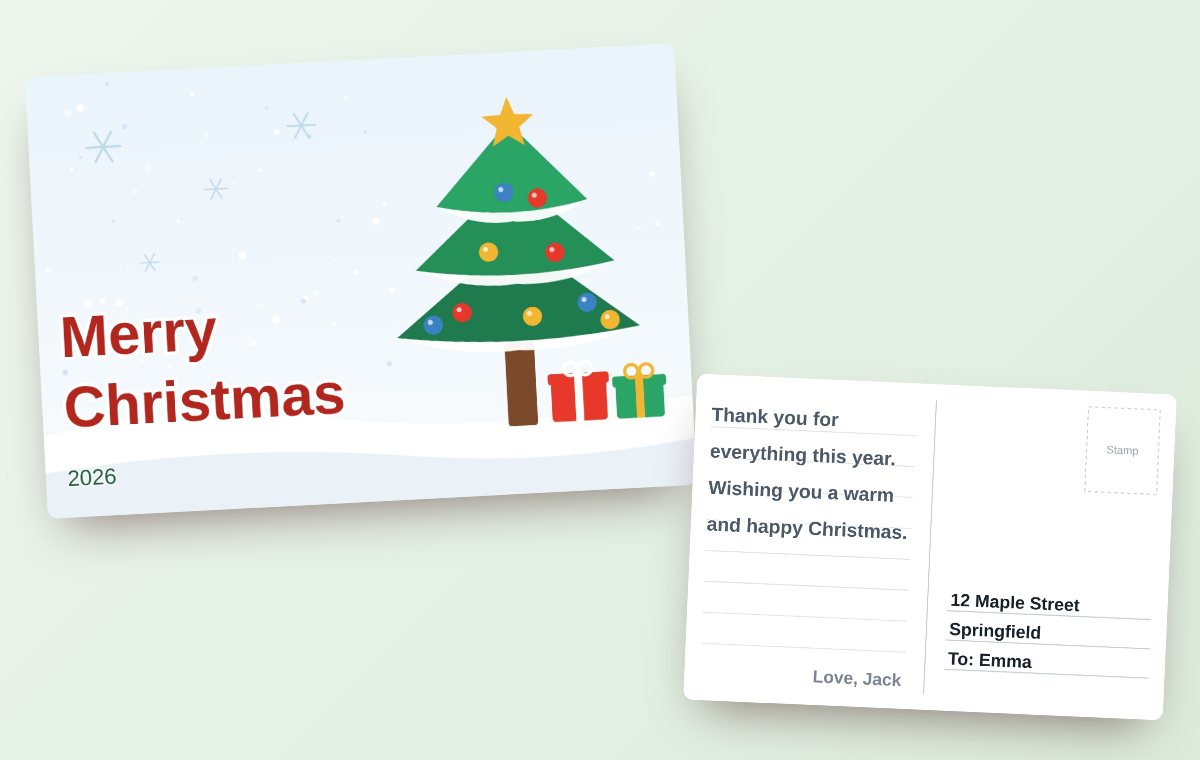
How it works
- Pick a design — a Christmas tree with presents, a wreath, or a snowman. You can use your own photo instead.
- Write the front — “Merry Christmas” is already there. Change it to your own words or add a name.
- Write the back — your message sits on ruled lines in a handwriting-style font, with room for the recipient’s name and yours.
- Send it — on a phone, tap Share and pick your messaging app. On a computer, save the PNG and send the image.
Who it’s for
- Family far away
- It arrives the moment you send it — no postage, no waiting.
- Your partner
- Put a photo of the two of you on the front.
- Kids
- Write a letter from Santa on the back.
- Friends and coworkers
- A thank-you for the year in one card.
- Gift tags
- Print it at postcard size (148 × 100 mm, about 5.8 × 3.9 in) and tuck it in the box.
A card that flips
Turn on “Flip” before you share, and the recipient gets a link to a card they can tap to turn over and read the back. They can make a reply card right from there.
Christmas card wording ideas
- Merry Christmas! Thank you for being there all year.
- Wishing you a warm and happy Christmas, and a new year full of good things.
- The best thing I did this year was meet you. Merry Christmas. (for a partner)
- Season’s greetings and best wishes for the new year. (for clients and colleagues)
Questions
Is it really free?
Yes. There is no sign-up, and the card has no watermark or logo on it.
Does the recipient need an app?
No. The card arrives as an image or a link and opens in any messaging app.
Can I use my own photo?
Yes. You can put a photo on the front, and even in the stamp corner.
Can I print it?
Yes. You can save it at postcard size (148 × 100 mm) for printing at home or at a print shop.
Where are my text and photos stored?
Nowhere. The card is drawn in your browser and is not sent to a server. Only when you share it as a link is the finished card image stored, with your consent, for 30 days and then deleted automatically.