Make a business card for free and print it — no design software
You don’t need Illustrator. Type your name and contact details and you get a PDF set up for a print shop. You can also print it at home and cut the cards yourself.
Make a “Business card” in Title Card →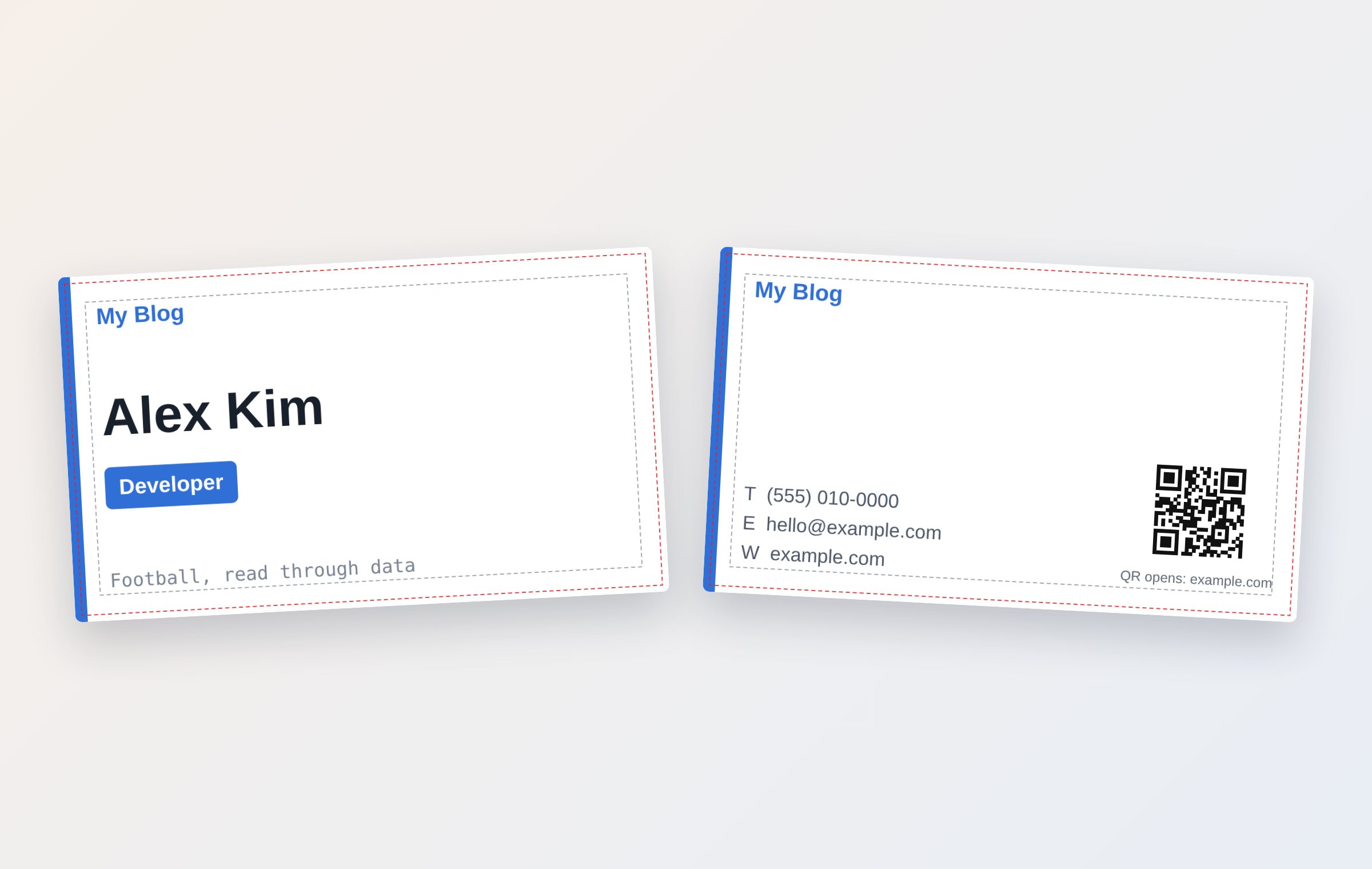
The print setup is already done
- Card size 3.5 × 2 in (88.9 × 50.8 mm), the US standard — other sizes are one tap away
- 1 mm of bleed on every side, so trimming doesn’t leave a white edge
- A dashed line in the preview shows where text is safe (it isn’t in the saved file)
- Output at 300 dpi
A note on US card size
In English the card starts at the US standard, 3.5 × 2 in (88.9 × 50.8 mm). Under “Card size” you can switch to 85 × 55 mm (UK and Europe), 91 × 55 mm (Japan), 90 × 54 mm or 90 × 50 mm. The file carries 1 mm of bleed on each side; many US online printers ask for 1/8 in, so check your printer’s file requirements before you order. Printing at home avoids the question.
Front and back
The front holds your name, job title and company; the back holds your phone, email and website. In front of each contact line you can show the letters T·E·W, icons (☎ ✉ 🌐), or nothing.
Enter a website and a QR code for it is added to the back automatically.
Two ways to print
At a print shop: choose “One per page (actual size),” send the PDF, and tell them it includes 1 mm of bleed.
At home: choose “Fit many on a sheet” and set the paper to Letter. The cards fill the sheet edge to edge, with light dotted lines to cut along. For two-sided cards, the backs are on page 2, mirrored left to right, so print double-sided with “flip on long edge.” Keep the printer set to “Actual size (100%).”
Questions
Is it really free?
Yes. There is no sign-up, no payment and no watermark.
Can I add my company logo?
Yes. Upload it in the Logo field — a PNG with a transparent background looks cleanest. The file is not sent to a server. The one exception is the flip-card link: with your consent, the finished card image is kept in Cloudflare R2 storage for 30 days and then deleted automatically.
What paper should I print on?
At home, cardstock around 80 lb cover (roughly 200 gsm) works well if your printer can feed it. Print shops usually offer 14 pt or 16 pt card stock.
More guides
- 💌 Free invitation maker — wedding, birthday and party invitations to send by text
- 🔖 Turn a line from a book into a printable bookmark
- ✉️ Turn a photo into a postcard and send it by text
- Blog cover images: what size to use and how to make one fast
- YouTube thumbnail size and how to make one for free
- Make a flyer or notice in five minutes