Make a flyer or notice in five minutes and put it on the wall
Club sign-ups, an office party, an info session, a notice for the shop door or the break room — sometimes you just need one page for the wall. Instead of nudging text boxes around in Word or PowerPoint, you fill in a few fields.
Make a “Poster / notice” in Title Card →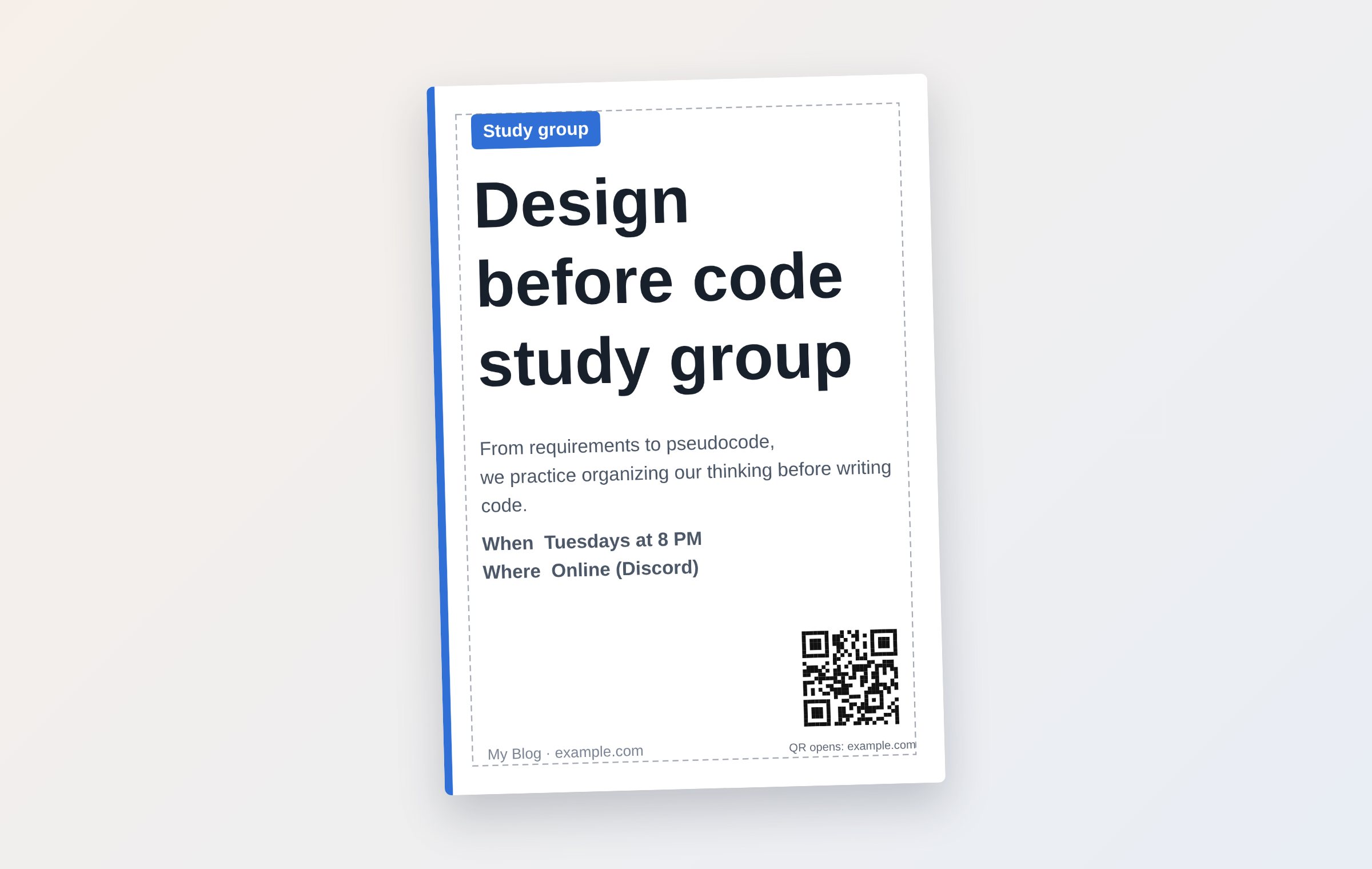
Five things to fill in
- A top line (for example: Study group, Safety notice, Event)
- The title — it gets the biggest type
- Two or three lines of description
- When and where
- Host / contact, and a link for the QR code
Printing
The file is saved as a PDF at 300 dpi. Under “Paper” choose Letter (8.5 × 11 in) or A4 (210 × 297 mm); Letter is selected for you if your device is set to the US, Canada or most of Latin America. Print at “Actual size (100%).” A print shop can also enlarge it to tabloid size (11 × 17 in) and the text stays sharp.
Enter a link and a QR code is added automatically, so people can go straight to a sign-up form or a map.
Tips for a flyer people can read
- Make the title readable from ten feet away — the shorter it is, the bigger the type gets
- Put the date and the place on separate lines
- Stick to one color — an accent color plus black is enough
- If you use a photo, turn up “Darken photo” so the text stands out
Questions
Can I use it for a company or an organization?
Yes. What you make is yours to use freely, and the tool’s name is not printed on it.
Is my content sent anywhere?
No. Your text and photos are drawn only in your browser and are not sent to a server, so it’s fine for internal notices too.
Does it work without an internet connection?
Open it once and use “Install app”; after that it opens even without a connection.
More guides
- 💌 Free invitation maker — wedding, birthday and party invitations to send by text
- 🔖 Turn a line from a book into a printable bookmark
- ✉️ Turn a photo into a postcard and send it by text
- Blog cover images: what size to use and how to make one fast
- YouTube thumbnail size and how to make one for free
- Make a business card for free and print it