✉️ Turn a photo into a postcard
Most catching up happens in a one-line text now. Once in a while, put a few handwritten-style lines on a photo and send it as a postcard with a stamp on it. It shows up in their messages looking like real mail.
Write a postcard →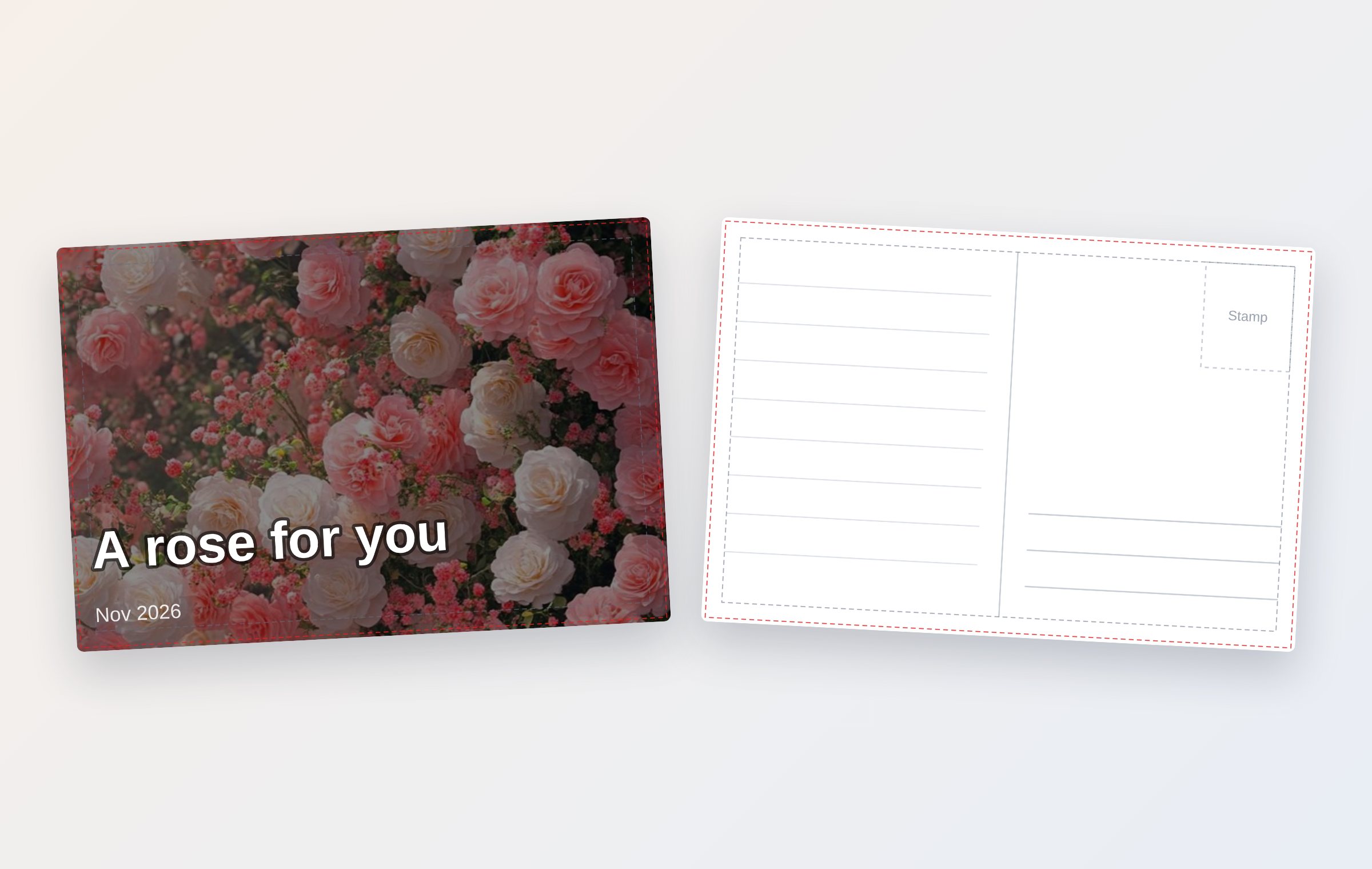
How it works — about a minute
- Pick a photo for the front — use one from your phone, or choose one of the built-in free photos (scenery, ocean, sunset, flowers, a puppy, a cat and more).
- Write the front text — keep it short, like “Autumn by the river.” The small text under it is filled in with the date for you.
- Write the back — your message sits on ruled lines in a handwriting-style font. You can add who it’s to and who it’s from.
- Add a stamp — in the photo section, choose “Stamp photo (back)” and your photo becomes a perforated stamp, with a dated postmark next to it.
- Send it — on a phone, tap Share and send both sides at once through your messaging app. On a computer, save the PNG and send that.
When to send one
- A change of season
- First snow, fall colors, cherry blossoms — one photo and a quick hello.
- From a trip
- Put a travel photo on the front and write “Wish you were here,” like an old vacation postcard.
- Birthdays and anniversaries
- Turn a photo only the two of you would recognize into the stamp. That alone is a gift.
- Thank-you notes
- A short thank-you to a teacher, a parent or a coworker. It’s also nice printed and handed over in person.
- The holidays
- Instead of one group text, a postcard with each person’s name on it.
They can write back right away
When you share a postcard, a “Send one back” link goes along with the image. Tapping it opens the postcard screen, so the person who got your card can send a reply without signing up or installing anything.
If you want a paper postcard
The postcard is made at 148 × 100 mm, about 5.8 × 3.9 in — just under a US 4 × 6 card. The artwork runs into the bleed (outside the red dashed line), so you can hand the file to a print shop as is, or print it on cardstock at home and trim it. Keep your text inside the gray dashed line and it won’t get cut off.
Questions
Does the recipient need an app?
No. The postcard is sent as an image, so it shows up like any photo in a text, a chat app or an email.
Can I put my own photo on the stamp?
Yes. In the photo section, choose “Stamp photo (back)” and add a photo. It goes into a perforated stamp, and a dated postmark is added with it.
Can I print it as a real paper postcard?
Yes. The postcard can be saved for print at 148 × 100 mm (about 5.8 × 3.9 in), ready for a home printer or a print shop.
Are my text and photos stored anywhere?
No. The postcard is drawn in your browser and is not uploaded to a server. The one exception is the flip-card link: with your consent, the finished card image is kept in Cloudflare R2 storage for 30 days and then deleted automatically.
Does it cost anything?
It’s free. There is no sign-up, and no watermark is added to your postcard.
More guides
- 🎄 Free Christmas card maker — no sign-up, no watermark
- 💌 Free invitation maker — wedding, birthday and party invitations to send by text
- 🔖 Turn a line from a book into a printable bookmark
- Blog cover images: what size to use and how to make one fast
- YouTube thumbnail size and how to make one for free
- Make a business card for free and print it